Platforms
Where people log on, Twin Verify is there.
Windows, Mac and Linux. The second factor sits in the same place as the password, so there is nothing new to learn.

Windows
Windows 10/11 and Server 2016+
At the Windows logon screen, on unlock and in Remote Desktop sessions. With network level authentication only the code is asked.


Logon, unlock and Remote Desktop
The same second factor wherever a user signs in to Windows.
Offline sign-in
Sign-in from an encrypted cache when the network is not there.
Trusted networks
On networks you list, a password alone is enough.
Self-service
First-use wizard, changing Secret Squares, resetting forgotten squares at the logon screen with an emailed code, password change, expiry warnings and forced changes.
Password Protector
Checks passwords against known breaches, as you choose: no check, warn, or require a change. Live check while typing.
Tray app
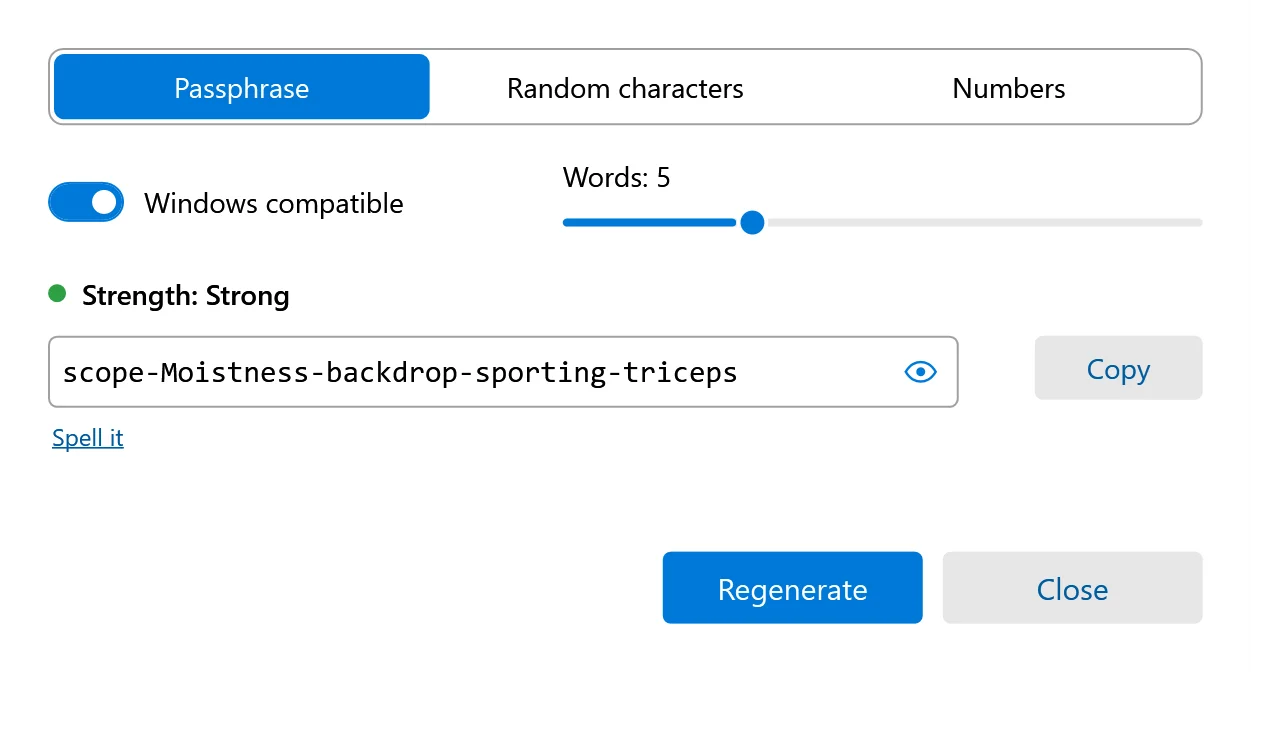
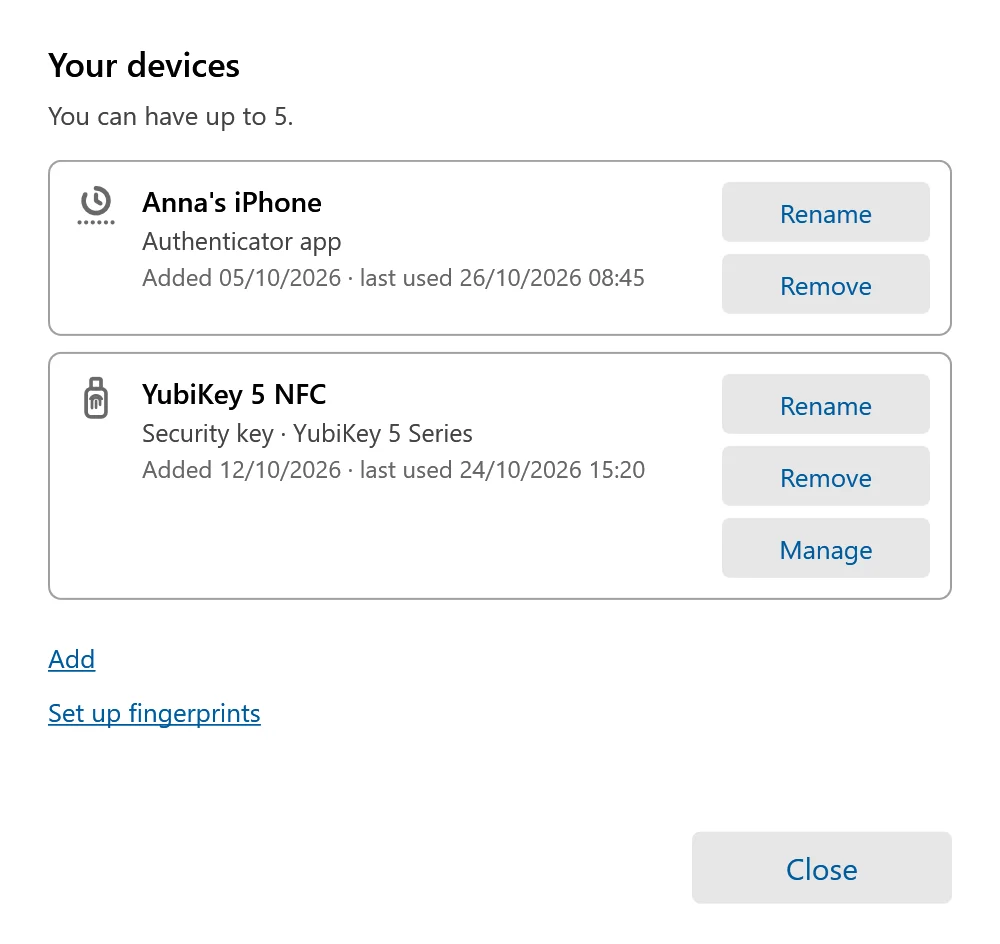
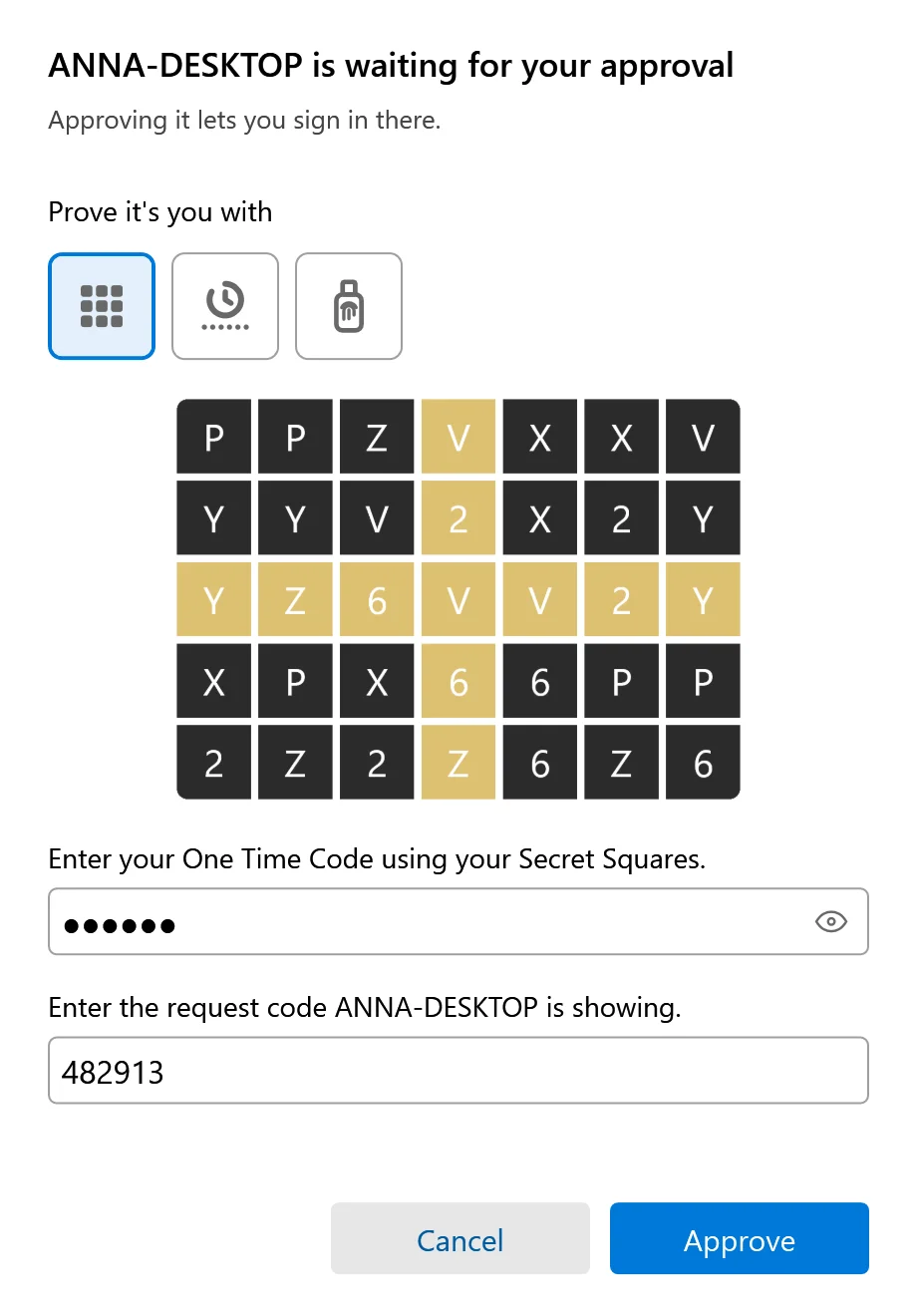
Show grid, change password, change Secret Squares, approve a new computer or browser, generate a password (passphrase, random or PIN) and "Your devices".
Install
One step with an enrolment key, silent install for your RMM, and enrolment through the MSP agent.
Four languages
English, German, French and Italian.
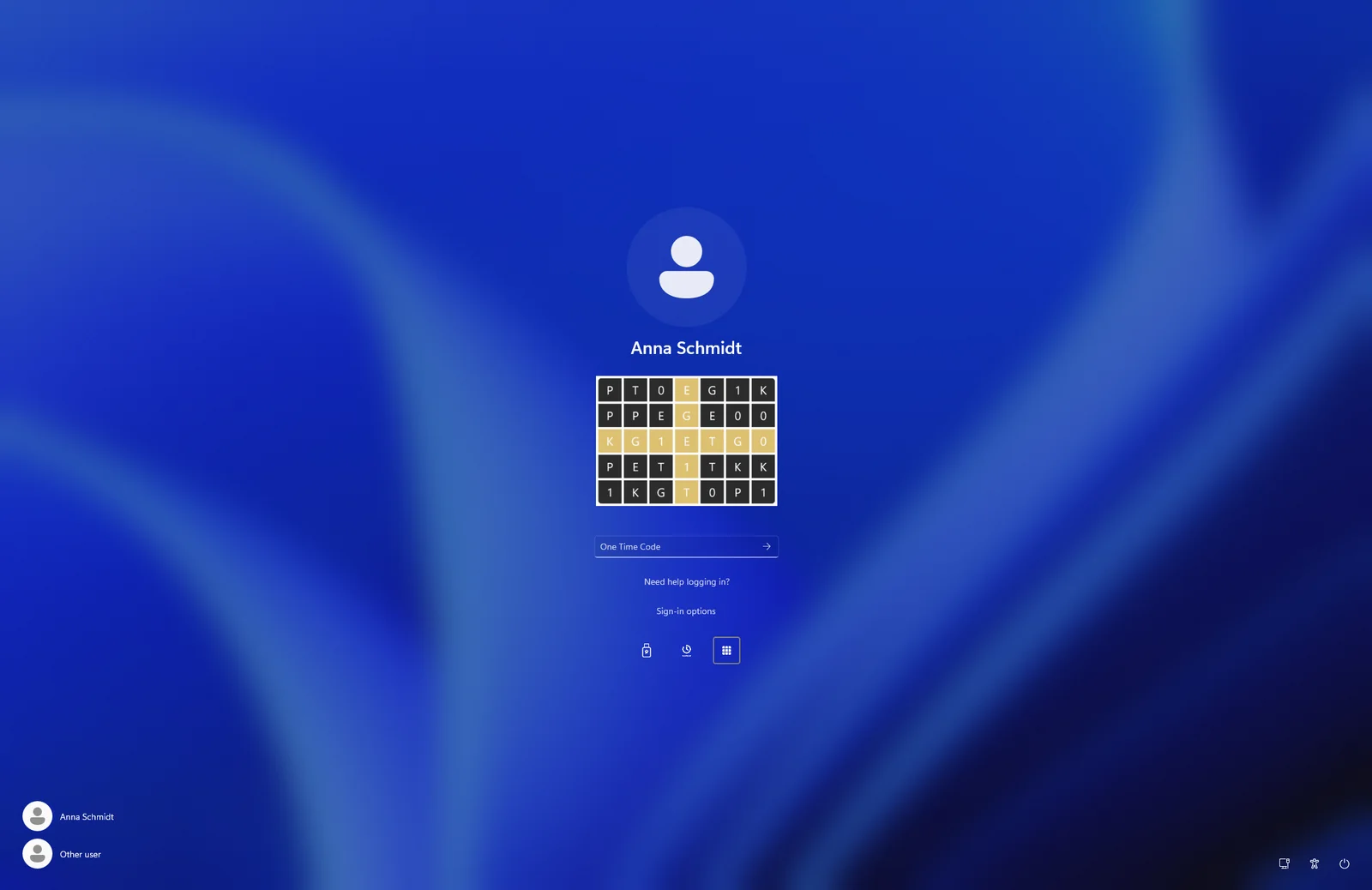
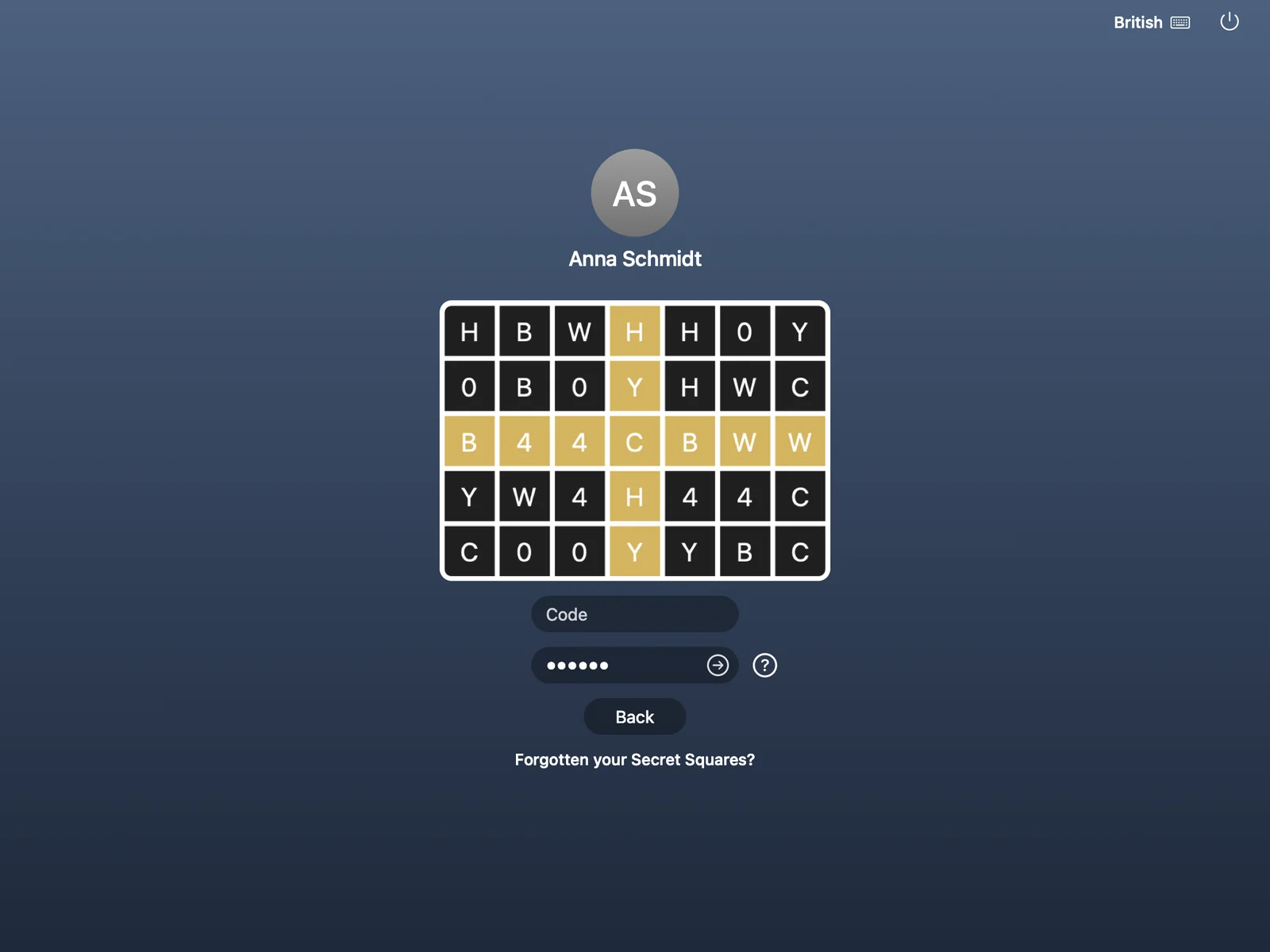
Twin Verify on Windows
The real windows, in the language of your users: the tray menu, the grid, devices, approvals and the password generator.



macOS
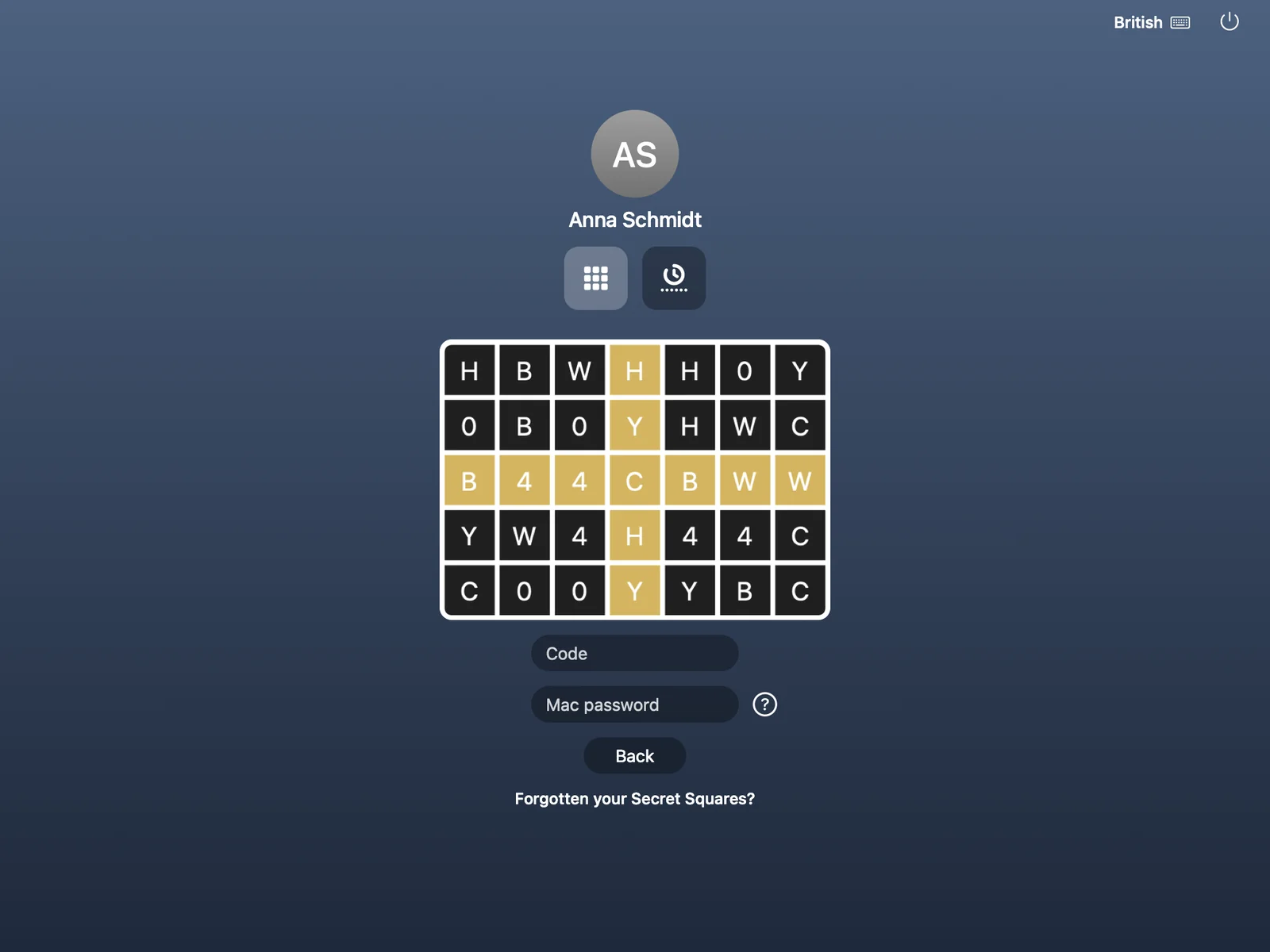
The Mac login window and the menu bar
Twin Verify protects the sign-in at the Mac login window with the same Secret Squares, and brings a menu bar app for everything a user does day to day.
Login window
Secret Squares, passwordless sign-in, access code, offline use and self-linking of the Mac.
Menu bar app
Show grid, change Secret Squares, change password, approve a computer or browser, generate a password.
MDM or not
Configuration profiles for your MDM, or install without MDM.
Four languages
English, German, French and Italian.
Twin Verify on the Mac
The Mac login window and the menu bar app. Your users see them in their own language.

Linux
Linux through RADIUS
SSH, sudo and su ask the Twin Verify RADIUS service through pam_radius. A setup script does the configuration. The code comes from "Show grid" on the user’s own PC or Mac, or from an authenticator app.
SSH, sudo and su
The second factor at the prompts admins use every day.
Web consoles
Web consoles on Linux servers sign in through the Twin Verify identity provider.
At a glance
- Windows 10 and 11, Windows Server 2016 and later
- macOS: login window and menu bar app
- Linux: SSH, sudo and su through RADIUS
- Languages: English, German, French, Italian
Ready for a sign-in people do not work around?
Tell us about your organisation and we will show you how Twin Verify fits. Write to us or call us.